Free on the Microsoft Store · Runs quietly in the tray
Know exactly where your battery goes
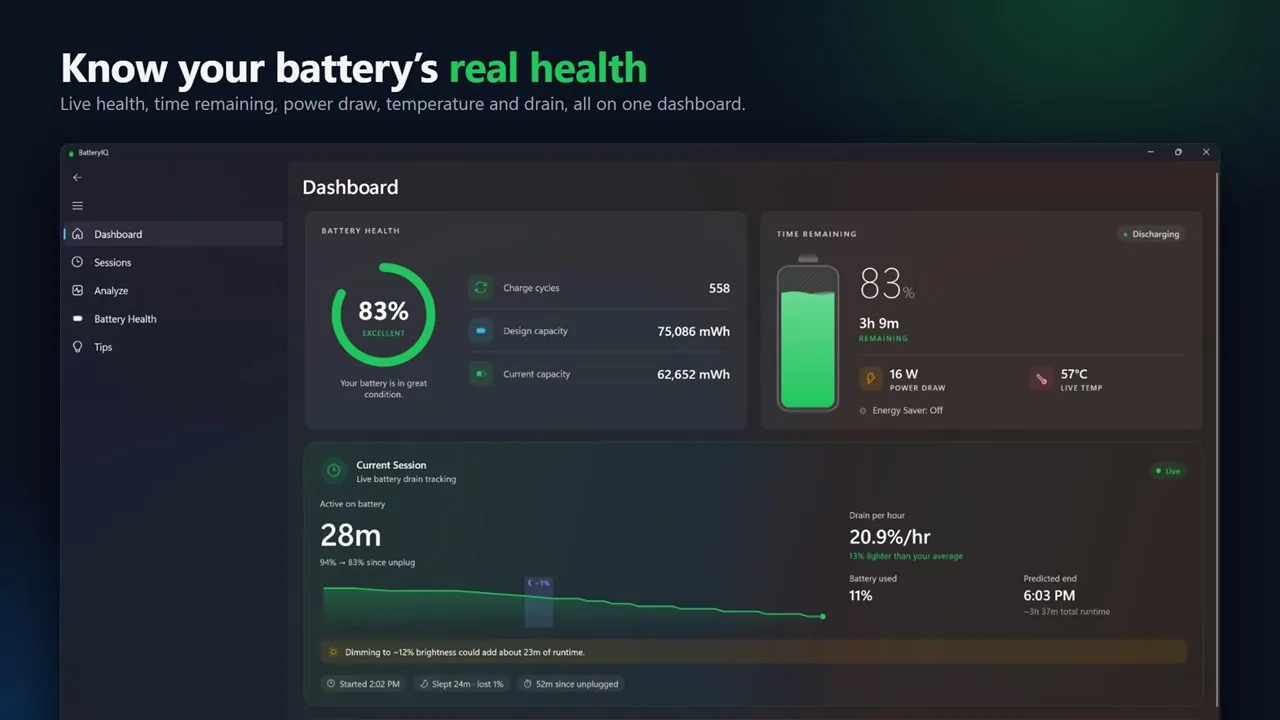
The Dashboard shows health, time remaining, live power draw and temperature. Unplug, and BatteryIQ starts keeping score with no manual logging.
Sessions
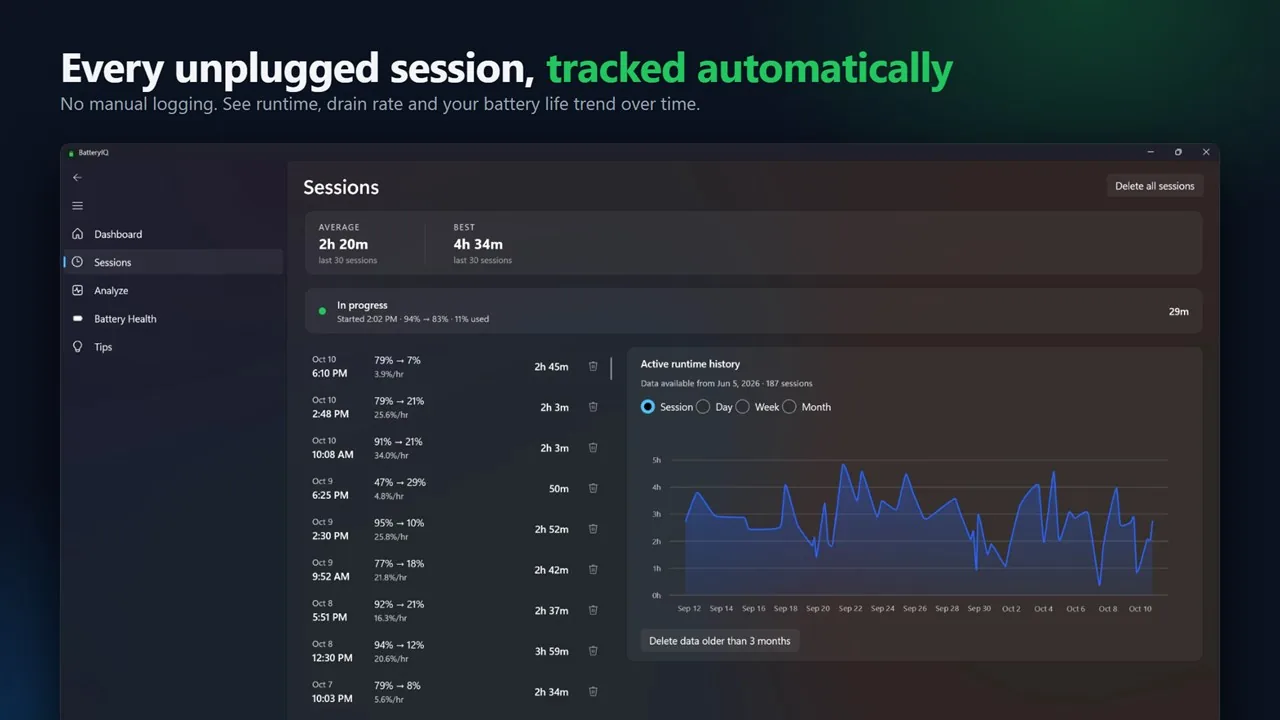
Every unplugged session, tracked
Runtime, drain rate and start and end level for every session, with your average and best runtime and a history by session, day, week or month. You choose the minimum length and battery use a session needs to be saved.
Session detail
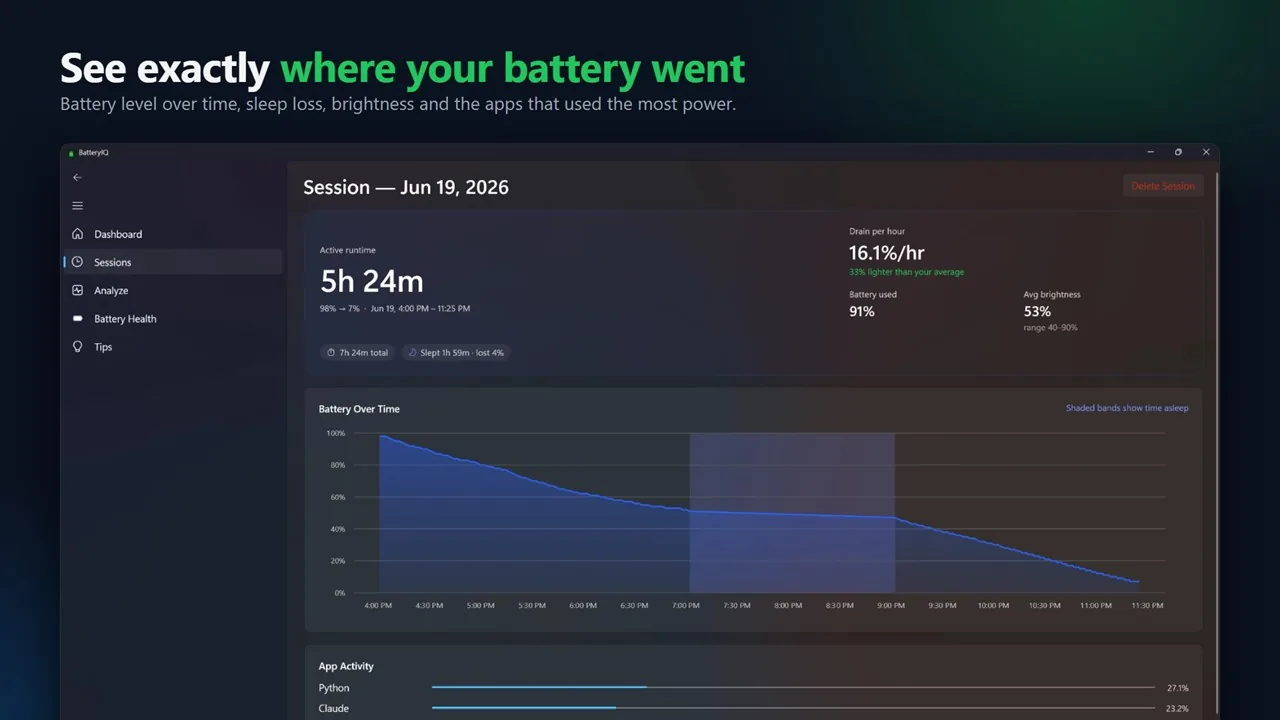
See exactly where it went
Battery level over time with the hours your laptop slept shaded in, how much sleep cost you, average screen brightness, and the apps that used the most power.
Analyze
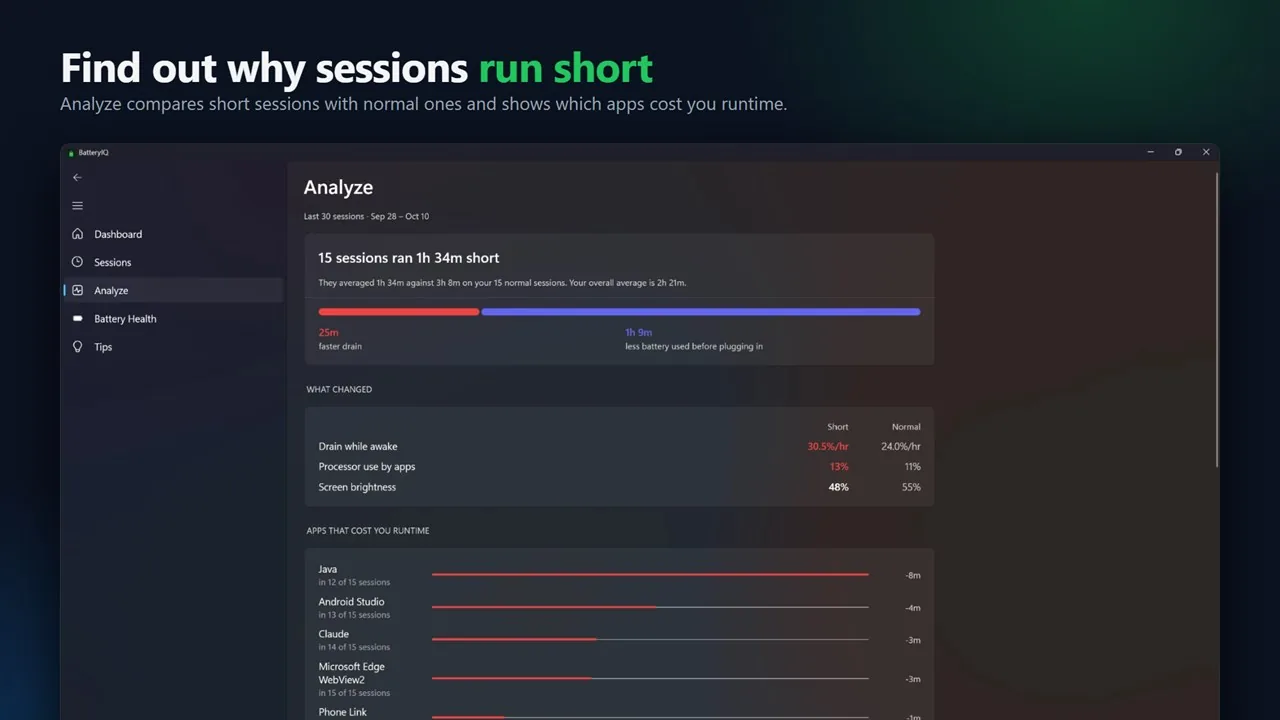
Find out why sessions run short
Compares your short sessions with normal ones: drain while awake, processor use and screen brightness side by side, and the apps that cost you the most runtime.
Battery health
Track wear. Forecast replacement.
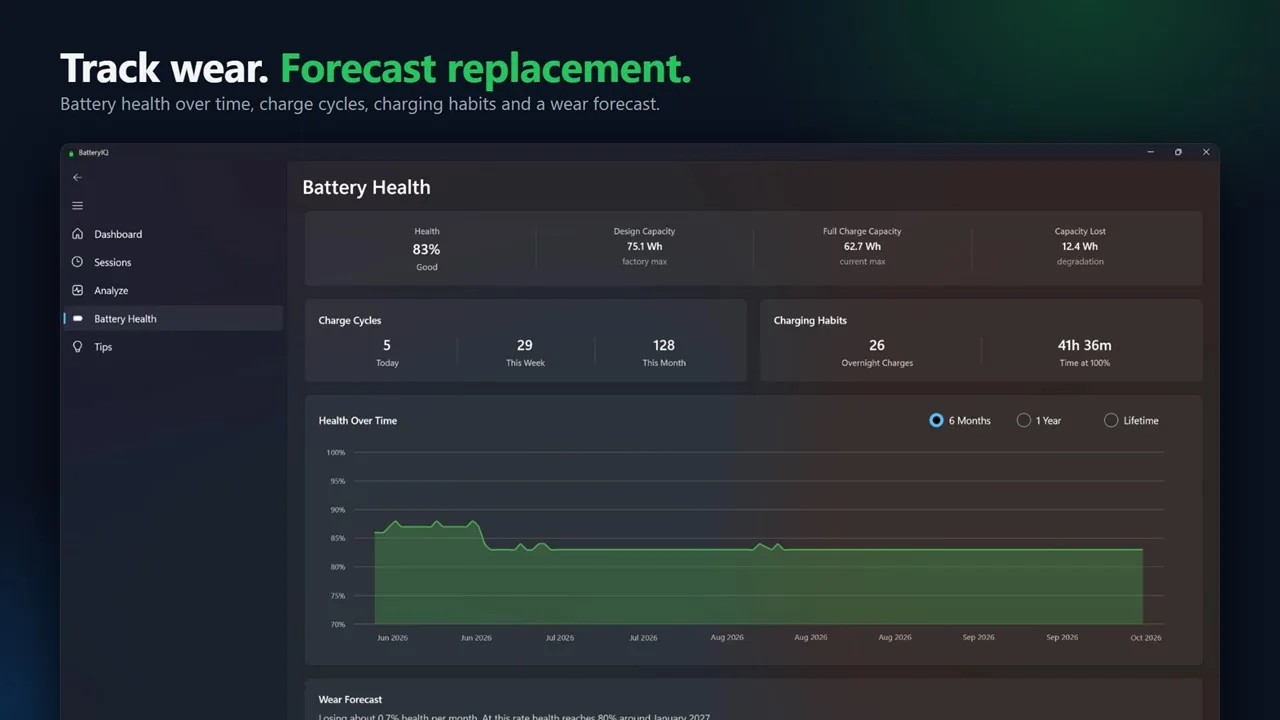
Health over six months, a year or the battery's lifetime, charge cycles today, this week and this month, charging habits like overnight charges and time spent at 100%, and a forecast of when health will drop below 80%.
And a lot more
Power draw in the tray
A live Power Draw tile on the Dashboard, and the same reading in the tray tooltip, so you can see how many watts your laptop is using right now.
Battery health report
Export a clean report with health, capacity lost, charge cycles, your device and battery details, health over time and the wear forecast.
Sleep, counted separately
Time asleep and the battery it cost are shown apart from active use, so your runtime numbers stay honest.
Runtime tips
Practical suggestions, like how much runtime dimming your screen would add to the current session.
Your data, your call
Delete one session, everything, or data older than three months, whenever you like.
Native to Windows
Built with WinUI 3 and .NET 8, so it looks and feels like part of Windows 11.
1K+downloads
4.9★18 ratings
Freeon the Microsoft Store
Autosession tracking
What people say
4.9
★★★★★
18 ratings · 1K+ downloads on the Microsoft Store
★★★★★Microsoft Store
nice
Pretty cool, helped me a lot to check the battery health daily. The ui is also very nice. Perfect for someoneo who switched from mac to windows.
N
NexBatteryIQ · Australia
★★★★★Microsoft Store
the best out there
it estimates battery great, and I can see the dev put lots of effort making this
L
lawrenceBatteryIQ · New Zealand
★★★★★Microsoft Store
Thanks for the fix
A
Aubain R.BatteryIQ · Philippines
★★★★★Microsoft Store
great clean app that works
tldr; great modern app (review shortened to meet the 1k char lim) Update 3 (after dev reply) The power draw tile is very useful and clean, letting me know how much power the computer is using for the task. This will be my new battery app as it …
K
keshtersBatteryIQ · Australia
★★★★★Microsoft Store
very good
very good software, for checking your laptop battery. i recommand it
N
NicolasBatteryIQ · France
★★★★★Microsoft Store
All rounder
excellent application
K
Krishna GopalBatteryIQ · India
Copied word for word from the Microsoft Store. Typos included.
Questions
Is it free?
Yes. BatteryIQ is free on the Microsoft Store.
How is battery health worked out?
Health is your battery's current full-charge capacity compared with the capacity it was designed for, as reported by Windows. A battery at 62.7 Wh out of a 75.1 Wh design is at about 83% health.
Why isn't my session in the history?
By default, BatteryIQ saves every unplugged session of 10 minutes or more that uses at least 3% of the battery. You can change both limits in Settings, under Session history. The session in progress always shows live on the Sessions page.
Does sleep count as runtime?
No. Sleep is shown separately, with how long the laptop slept and how much battery it lost, so active runtime only counts the time you were actually using it.
Does it work on a desktop PC?
BatteryIQ is made for laptops and tablets with a battery. On a desktop without one there is nothing for it to measure.
I found a bug or want a feature.
Email bhoominn@gmail.com. The Power Draw tile and the adjustable session limits both came from user feedback.
Get BatteryIQ
Free on the Microsoft Store. Install it, unplug, and let it keep score.